

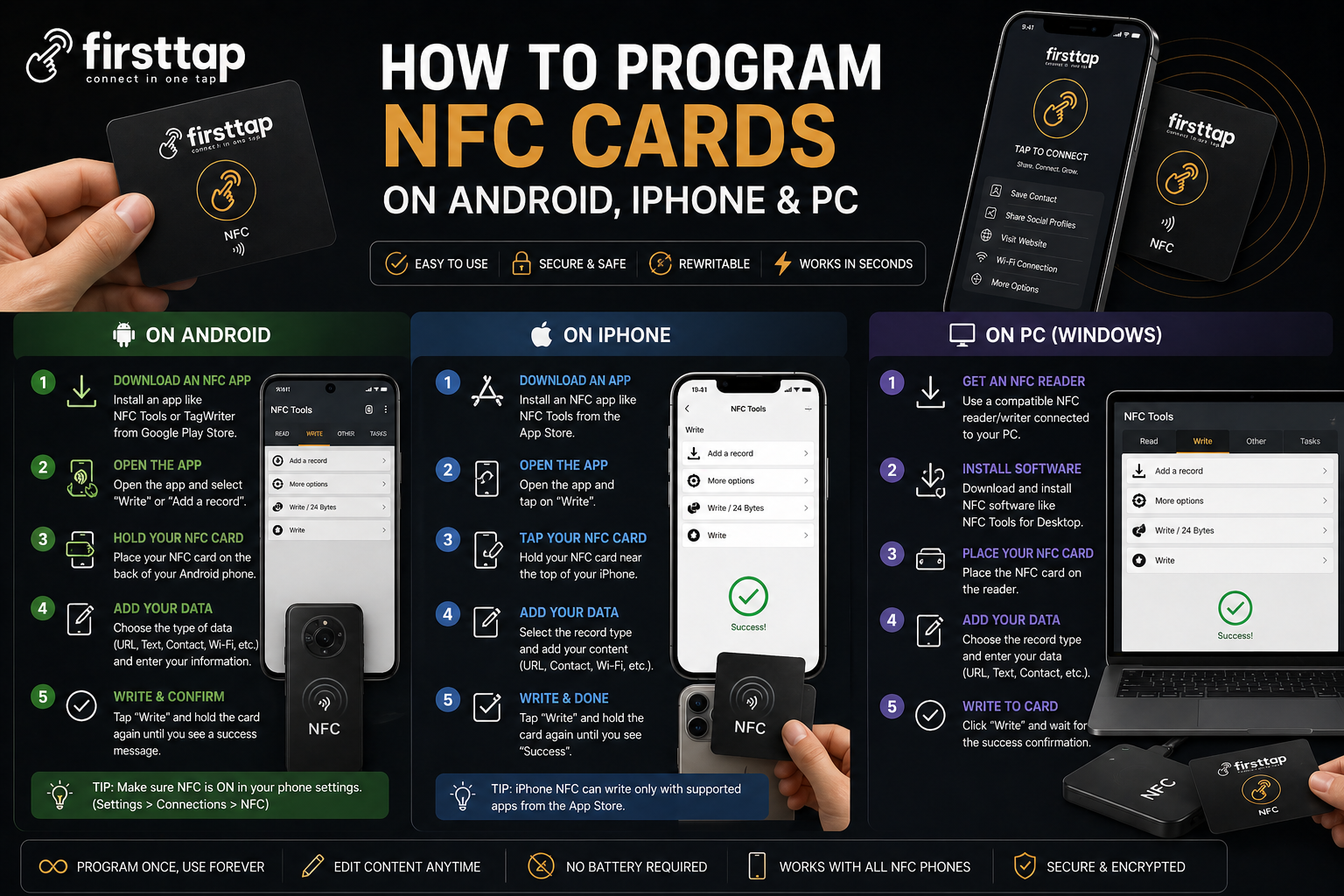
How to program NFC cards on Android, iPhone and PC
Step-by-step practical guide to writing and testing NFC card links across Android, iOS, and desktop workflows.

Step-by-step practical guide to writing and testing NFC card links across Android, iOS, and desktop workflows.
Most NFC setups involve writing a URL to the card chip. Once written, the card opens that URL when tapped on compatible phones.
Use an NFC writing app, add your profile link, and write to card. Test with multiple phones before final use.
Modern iPhones can read NFC natively. Writing is usually done via compatible apps or provisioning tools depending on your NFC provider workflow.
With an NFC reader/writer device, you can encode cards in batches. This is useful for team deployments and standardized corporate profiles.
Always validate link opening speed, HTTPS validity, and page load quality on mobile. Poor landing experience reduces conversion even with perfect NFC hardware.